 ClipItCoach
Looks like these, and many more on the way
Pick a post, a look and a size to watch it play. It's our sample club, Kestrel Bay, at home to Northgate.
What you add for the fixture
- Opponent
- Northgate
- When
- Sat 14 Mar, 15:00
- Where
- Cliff Road, home
- Competition
- County League, round 12
Your crest, kit, sponsor and squad come from your team, which you set up once.
Set up the team once. Then it's the game and the score.
-
Set up your team
Once, at the start. Your club's name, crest, kit colours and shirt style, and the squad with their shirt numbers.
TeamKestrel BayKitHoopsSquad16 players, numbered -
Add a game
Opponent, date, kick-off, venue and competition. That's everything the fixture post needs.
OpponentNorthgateDateSat 14 MarKick-off15:00VenueCliff RoadCompetitionCounty League -
Pick the lineup and tap Make video
Choose the starting eleven and the bench, and a look. Your phone makes the lineup video itself.
- 1J. Whitlock
- 2Marsh
- 4Reid
- 5Varga
- 3Mensah
- 6Ashworth
- 10Tanaka
- 8Ferrante
- 11Sandhu
- 9Kingsley-Brown
- 7Pereira
Bench: Lacey, Doherty, Nyambura, Lindqvist, Z. Whitlock
-
At half time, type the score
Add who scored, and in which minute.
Kestrel Bay1Northgate1Kestrel Bay scorersKingsley-Brown 14’Northgate scorersOkafor 38’ -
At full time, type the result
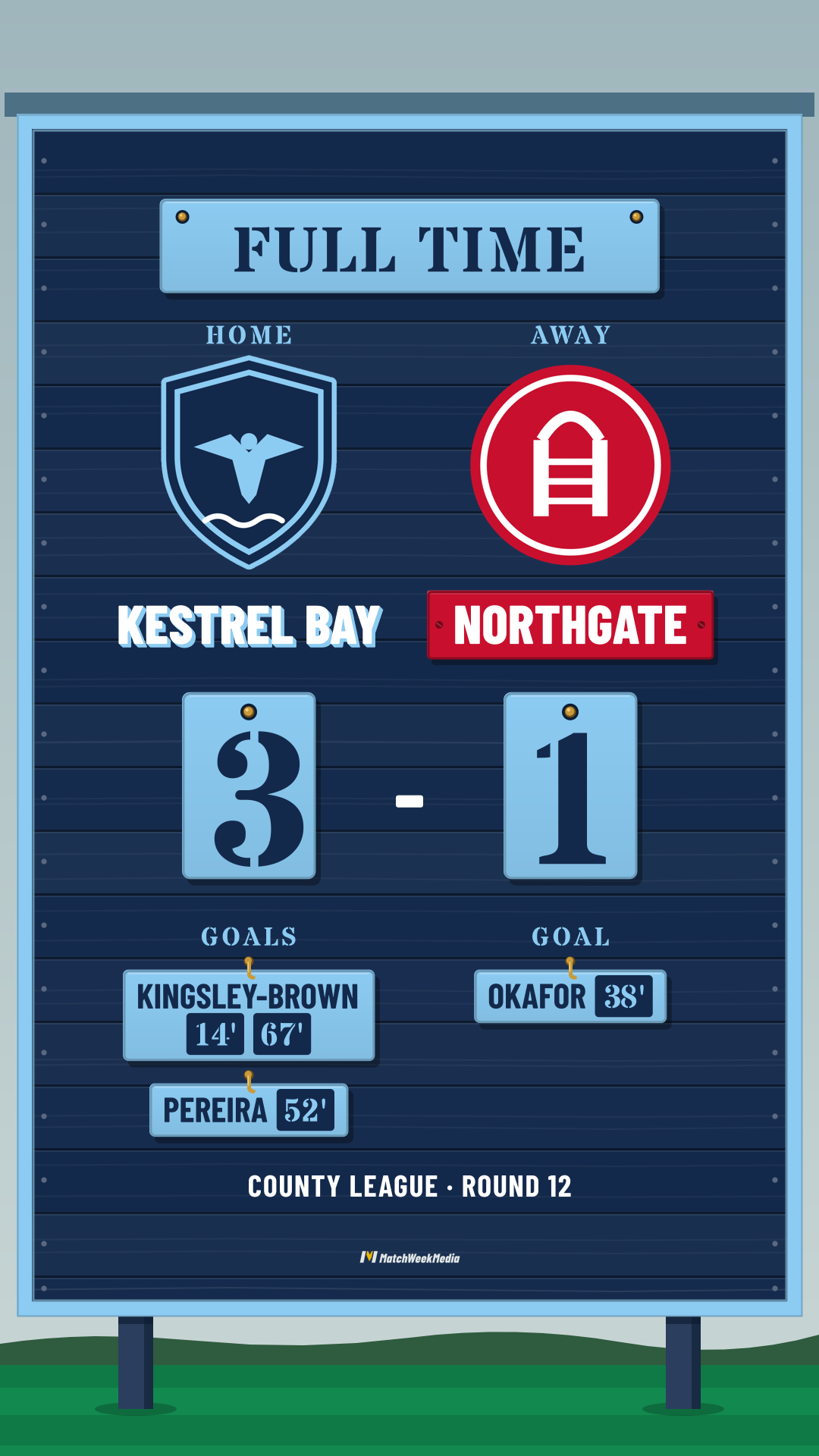
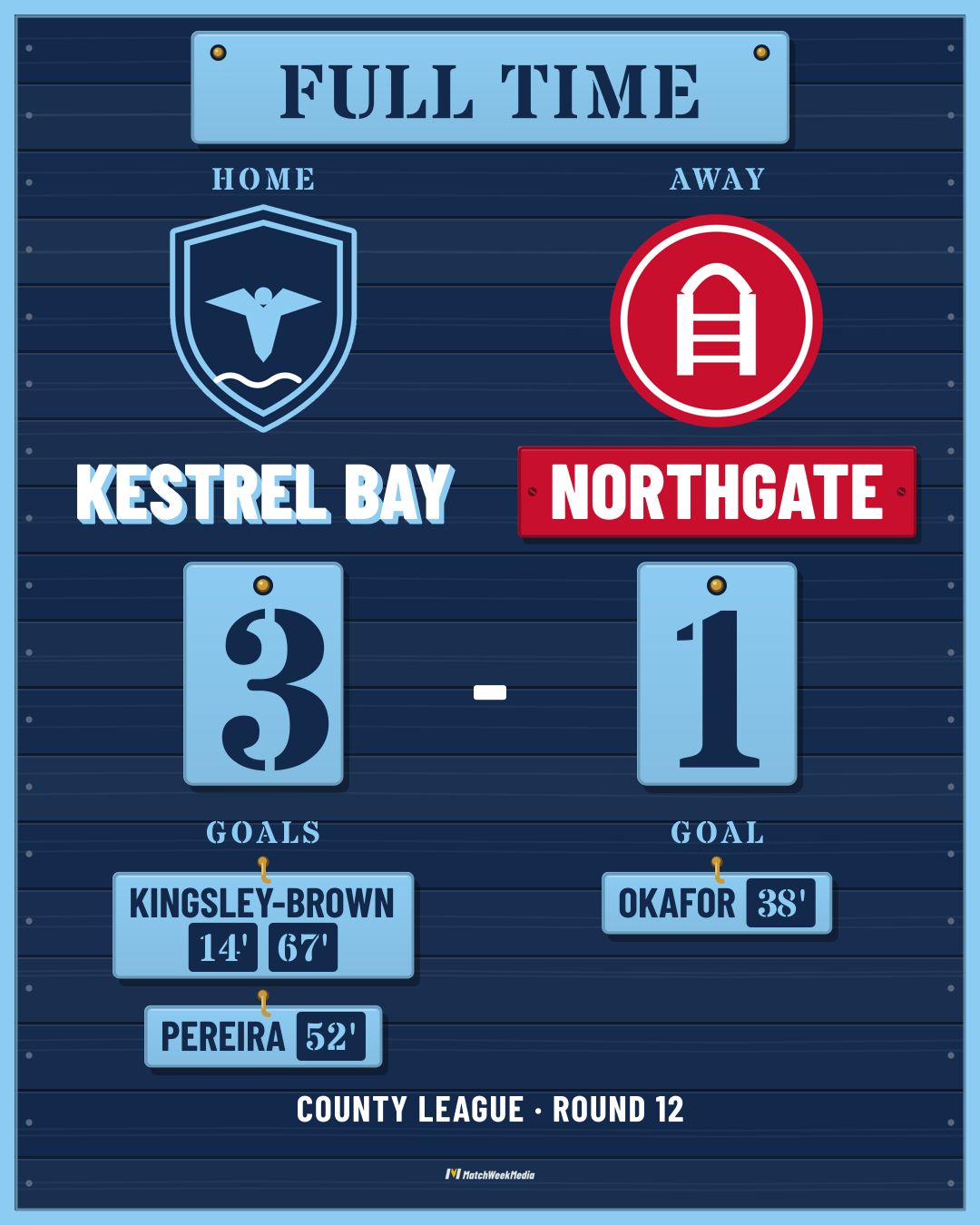
The full-time post shows the result and every scorer.
Kestrel Bay3Northgate1Kestrel Bay scorersKingsley-Brown 14’, 67’, Pereira 52’Northgate scorersOkafor 38’ -
Save it or share it
Save the video and the photo to your phone, or share them straight to Instagram, Facebook, WhatsApp and so on.
Videos sized for every social platform
Make any post as a tall Story or a Post for the feed, so it fits wherever your club posts.
- Every post
- A short animated video (MP4, no sound) and a photo of its last frame.
- Your club
- Your kit colours and shirt style, your crest, the opponent's crest and kit, and your sponsor.
- No account
- No sign-in, and nothing is uploaded. Your phone makes the videos and keeps your team's details, and a backup file moves your teams, squad and games to a new phone.
- Pay once
- A one-time purchase. No subscription.
- Devices
- iPhone, iPad and Android.

Meet ClipItCoach, video coaching for the whole team
MatchWeekMedia is made by ClipItCoach, the team video app for coaches and players. Review your games, share feedback and learn as a team, on your desktop or your phone.
- Upload a game, or link it from YouTube
- Clip and tag the moments that matter
- Share clips with the team, a group or one player
- Draw on plays and track players with AI
- Export highlights with a scoreboard in your colours
- Team chat, a schedule and lineups
The same match-week posts are part of ClipItCoach's Coach plan, made from the games and lineups in a team's schedule.